
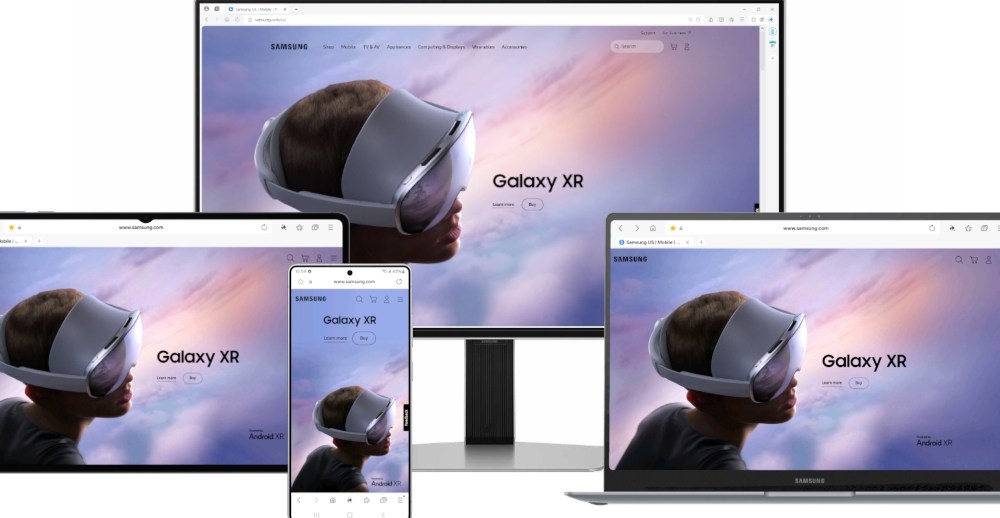
On October 29, 2025, The Verge reported that Samsung has decided to bring the Samsung Internet browser, long available on Android and Galaxy devices, to Windows PCs. The PC version is not a straightforward port: Samsung emphasizes three main selling points at the feature level: AI automatic summaries, instant webpage translation, and cross‑device synchronization.
The AI summary feature can generate structured key points for long‑form articles. When users open lengthy reports or technical documents, a single click on the summary button prompts the browser to list key information and paragraph outlines, saving reading time. The Verge noted that the system can extract paragraph‑level highlights as well as produce a condensed "quick read" summary for the entire page, useful for commuters or multitasking scenarios.
On translation, the PC edition of Samsung Internet offers a more granular instant‑translation experience, supporting both full‑page and paragraph‑level modes. Users can choose to translate only core paragraphs or let the browser automatically translate page text into the target language while preserving the original layout and media elements to reduce post‑translation clutter.
Cross‑device synchronization is another core highlight of this release: Samsung ties bookmarks, open tabs, browsing history and the reading list to the user’s Samsung account, allowing unread pages on phones and tablets to be "seamlessly continued" on a PC. The Verge reported that Samsung also optimized the desktop interface, including a sidebar and window management, so mobile gestures and card‑style views are better presented on large screens.
From a technical perspective, the PC version continues Samsung Internet’s rendering foundation and extension compatibility, but adapts for desktop scenarios with improvements for large‑screen experience, extension support and keyboard‑and‑mouse operation. The article noted that Samsung added granular controls in sync settings, so users can decide whether to enable AI summaries or keep translation and sync data permissions under local control.
The Verge also mentioned Samsung plans phased testing before rolling the build out to PC users, collecting cross‑device usage data and feedback to refine the experience. Although specific distribution channels and the global rollout timetable have not been fully disclosed, bringing mature mobile features to the PC is clearly aimed at competing in the desktop browser ecosystem while using Galaxy device interoperability as a differentiator.
For younger users, the update prioritizes the pain points of fragmented reading: whether encountering a long post on mobile that requires rapid review or needing to continue reading across classroom or office devices, AI summaries and translation combined with synchronization may significantly improve efficiency. The Verge painted a broad outline of development details and testing pace; the next points to watch are how Samsung balances privacy and performance, and whether the PC version can successfully transfer Galaxy ecosystem stickiness to desktop users.