
Introduction
In an era of rapid AI advancement, AI coding agents have become key tools for improving developer productivity. OpenCode, an open‑source project developed by Anomaly Co., is a prominent example. The project is open on GitHub at https://github.com/anomalyco/opencode, as of January 2026 it had received 76.7k stars and 6.8k forks, demonstrating strong community recognition. OpenCode positions itself as an open‑source AI coding agent that supports multiple LLM (Large Language Models) providers and highlights a terminal user interface (TUI) and client/server architecture. The project is inspired by tools such as Claude Code but addresses vendor lock‑in through openness and provider‑agnostic design. Based on YouTube analyses, OpenCode has shifted developer workflows by allowing terminal operation with minimal configuration and by supporting a privacy‑first approach. This report draws on the GitHub repository and other authoritative sources, including Reddit discussions and official documentation, to detail features, installation, and security, providing developers with a comprehensive reference. Reported facts come from reliable channels such as the official GitHub page and community feedback to ensure accuracy.
Project overview
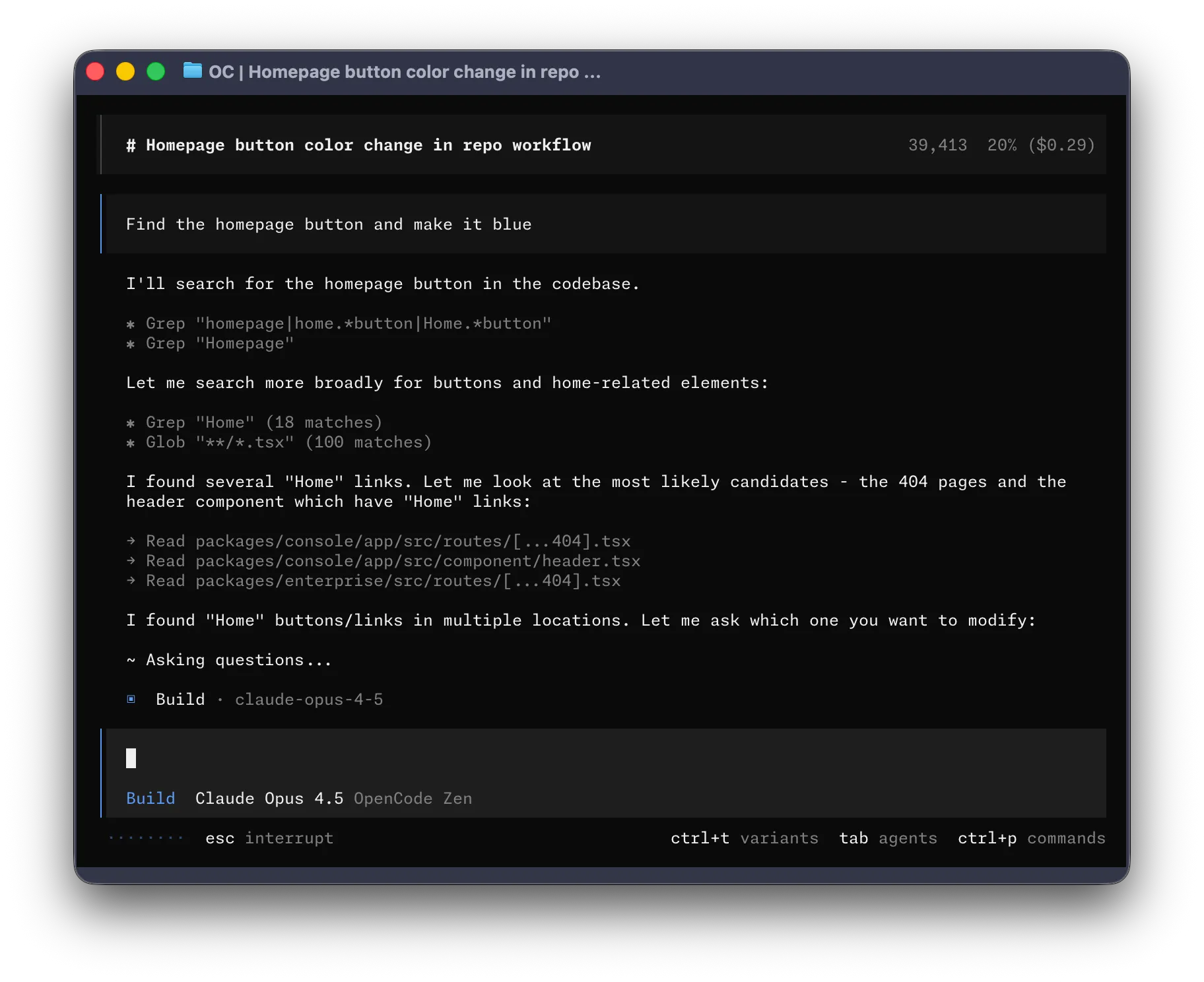
OpenCode's core idea is to create a flexible, open‑source AI coding assistant to help developers handle development tasks. It provides two built‑in agents: build (the default full‑access agent for development work) and plan (a read‑only agent for analysis and exploration). There is also a general sub‑agent (@general) for complex searches and multi‑step tasks. The project is licensed under the MIT License, allowing wide use and modification. Unlike the closed nature of Claude Code, OpenCode emphasizes provider‑agnostic support, compatible with Claude, OpenAI, Google, or local models among over 75 providers. It includes built‑in Language Server Protocol (LSP) support for easier editor integration.
The project uses a client/server architecture, with the TUI as a primary interface designed by Neovim users and the creator of terminal.shop to push terminal UI capabilities. The server can run locally while the UI is accessed remotely, even from mobile apps. This makes OpenCode suitable for scenarios ranging from local development to remote collaboration. A desktop application (Beta) supports macOS (Apple Silicon and Intel), Windows, and Linux for a more user‑friendly graphical interface. The GitHub repository contains multiple packages, including the opencode core logic, TUI components (based on SolidJS and opentui), shared UI components, and a desktop app (based on Tauri). The codebase is primarily TypeScript (84.1%), with CSS, MDX, Rust, and others. The latest release v1.1.25 was published on January 16, 2026, and there are 594 contributors.
Reddit community feedback shows many users migrating from Claude Code to OpenCode due to its open‑source nature and model flexibility, avoiding provider lock‑in. One user noted, "OpenCode's UX is better; for large projects quality is similar, but it excels for small projects." Additionally, the OpenCode Bench repository (https://github.com/anomalyco/opencode‑bench) is used for benchmarking agents on real production code changes, using a multi‑LLM judging system.
Core features
OpenCode's feature set centers on an AI agent system. The build agent provides full access, including file read/write and shell command execution, for real development work. The plan agent operates in read‑only mode and asks for user permission before running bash commands to avoid unintended changes. Users can switch agents using the Tab key. The @general sub‑agent handles multi‑step tasks like complex searches.
For GitHub integration, OpenCode supports triggering tasks by mentioning /opencode or /oc in Issues or PRs for tasks such as issue classification, fixes, or feature implementation. It will work on a new branch and open a PR. YouTube tutorials demonstrate connecting GitHub in five minutes to enable automated code review and security evaluations. Other capabilities include automatic PR triggers, scheduled runs, and custom agent creation.
Community feature requests have expanded functionality, such as a code critic agent that checks whether code meets goals and iteratively fixes issues. Another request is patch review: requiring user approval before applying changes. Additionally, a /stats command shows session statistics such as token usage and cost. OpenCode emphasizes privacy: code is not uploaded externally and processing is handled locally.
Installation
OpenCode offers multiple installation methods for different operating systems and preferences. Homebrew (macOS/Linux) is recommended: brew install anomalyco/tap/opencode (third‑party tap, always up to date) or brew install opencode (official, updates may be slower).
Quick install via curl: curl ‑fsSL https://opencode.ai/install | bash. For Node.js users: npm i ‑g opencode‑ai@latest (or bun/pnpm/yarn). Windows supports scoop: scoop install opencode or choco: choco install opencode. Arch Linux users can use paru: paru ‑S opencode‑bin. Mise tool: mise use ‑g opencode. Nix: nix run nixpkgs#opencode or directly from GitHub: nix run github:anomalyco/opencode.
The desktop app (Beta) can be downloaded from https://github.com/anomalyco/opencode/releases or https://opencode.ai/download. Homebrew cask: brew install ‑‑cask opencode‑desktop. Scoop: scoop bucket add extras; scoop install extras/opencode‑desktop.
Installation directories are customizable via $OPENCODE_INSTALL_DIR, XDG_BIN_DIR, HOME/bin, or $HOME/.opencode/bin. Dependencies include Node.js (runtime), Bun (scripts), and optional Nix. Development dependencies include TypeScript, husky, and prettier.
Usage
After installation, run opencode to start the TUI. Enter tasks at the prompt such as "fix a bug" or "implement a feature." Use @general to call the sub‑agent: @general search for X. The plan agent defaults to refusing file edits and asks for permission before running bash commands.
GitHub integration: mention /opencode in a comment to trigger actions. Example workflow YAML:
YAML
name: OpenCode
on: [issues, pull_request]
jobs:
  opencode:
    runs-on: ubuntu-latest
    steps:
      - uses: actions/checkout@v4
        with: fetch-depth: 1
        persist-credentials: false
      - name: Run OpenCode
        uses: anomalyco/opencode/github@latest
Documentation is available at https://opencode.ai/docs, covering agents, configuration, and more. Reddit users share tips such as choosing models per agent and tuning plugins.
Supported models and integrations
OpenCode supports any LLM and recommends models via OpenCode Zen (https://opencode.ai/zen). After configuring API keys, users can use Claude, GPT, Gemini, and others. Reddit discussions note mixing Gemini, Qwen, and local Devstral models. Integrations include IDE extensions and GitHub Actions.
Security considerations
OpenCode has no sandbox; its permission system is a UX feature and users must confirm actions. SECURITY.md outlines the threat model and emphasizes local operation to avoid data leakage. Issues suggest safer defaults such as stronger warnings and disabling automatic updates. YouTube coverage highlights the privacy‑first approach, noting code is not uploaded.
Community and contribution
The community is active on Discord (https://discord.gg/opencode) and X (@opencode). Contributions follow CONTRIBUTING.md and include adding new providers and improving documentation. STYLE_GUIDE.md provides coding standards. Issues such as optimizing model search grouping reflect community feedback.
Conclusion
As an open‑source AI coding agent, OpenCode innovates development workflows through flexible features and easy installation. Its provider‑agnostic approach and privacy‑first design make it stand out among competitors. With continued community contributions, OpenCode is likely to expand further and drive wider adoption of AI‑assisted coding. For developers, it is a tool worth exploring.
▶️ Enjoy this piece? Creating it takes real effort!
Support our YouTube channel:
AI Rosetta
Your likes, subscriptions, and shares are our greatest support! 🙏
More AI news at: https://www.airosetta.com