
Introduction
The Awesome Nano Banana Images project is an open‑source GitHub repository maintained by user githubssg, available at https://github.com/githubssg/awesome‑nano‑banana‑images. The repository focuses on collecting and showcasing AI images and corresponding prompts created using OpenAI’s GPT‑4o model and gpt‑image‑1. Nicknamed "Nano Banana," the project draws inspiration from Google’s Gemini‑2.5‑Flash‑Image model but centers on OpenAI image‑generation tools like ChatGPT and Sora. The repository is licensed under CC BY 4.0, allowing users to freely use and share content, with the goal of inspiring AI image creation. As of 2025, no formal release has been published, but the repo has accumulated many stars and provides bilingual English and Simplified Chinese support. The project emphasizes exploring advanced visual‑generation capabilities, including multimodal processing, diverse styles, and image editing, and is suitable for designers, content creators, and AI enthusiasts. Through a curated set of 100 cases, the repository demonstrates applications from creative advertising to surreal scenes and helps users get started quickly with AI image generation. Recommended tools include chatimg.ai, which supports one‑click generation across multiple models (such as GPT‑4o, Gemini, Flux, Grok) and offers templates and custom prompts.
The core value of this project is bridging AI technology and creative expression. It addresses pain points in traditional image creation, such as time consumption and skill barriers, by providing structured prompt templates that let users easily generate high‑quality visual content. The repository includes an introduction to GPT‑4o, a case collection, tool recommendations, prompt techniques, and contribution guidelines. Below we dissect its structure and provide operational details to help readers apply it in practice.
Background and Key Features
Traditional image generation depends on manual drawing or software editing, which can be inefficient and limit creativity. GPT‑4o, as OpenAI’s multimodal model, integrates text and image processing, supporting precise generation, a variety of styles (e.g., Ghibli, pixel art), and advanced edits (such as local modifications and style transfers). The repository builds on this by collecting community‑shared cases (from platforms like Twitter/X) to show how AI can transform text into images. For example, it highlights GPT‑4o’s fast interaction and realistic composition capabilities, suitable for real‑time iteration.
Repository features include:
- Multilingual support: English and Simplified Chinese for global users.
- Rich cases: 100 numbered examples ranging from creative ads to satirical comics, covering black‑and‑white portraits, 3D renders, chibi characters, and more.
- Practical orientation: Each case includes prompts, notes, reference‑image requirements, and original links.
- Community‑driven: Contributions are encouraged, with acknowledgments to contributors such as @azed_ai and @ZHO_ZHO_ZHO.
- Tool integration: Recommends ChatGPT, Sora, and the gpt‑image‑1 API, highlighting API advantages like high fidelity and text rendering.
Operationally, the repository does not involve code execution but is prompt‑driven. Users without programming experience can generate images by copying prompts into AI tools.
Detailed Case Analysis and Operational Steps
The repository’s core is the "🧩 Cases" section, ordered from 100 to 1. Each case includes image descriptions, copyright information, prompts, notes, and a return‑to‑top link. Cases mainly originate from Twitter/X and AI communities; image copyrights belong to the original authors and are licensed under CC BY 4.0. Below is a summary of typical case categories and operational steps.
Category 1: Creative Advertising and Branding (Cases 100, 90, 89)
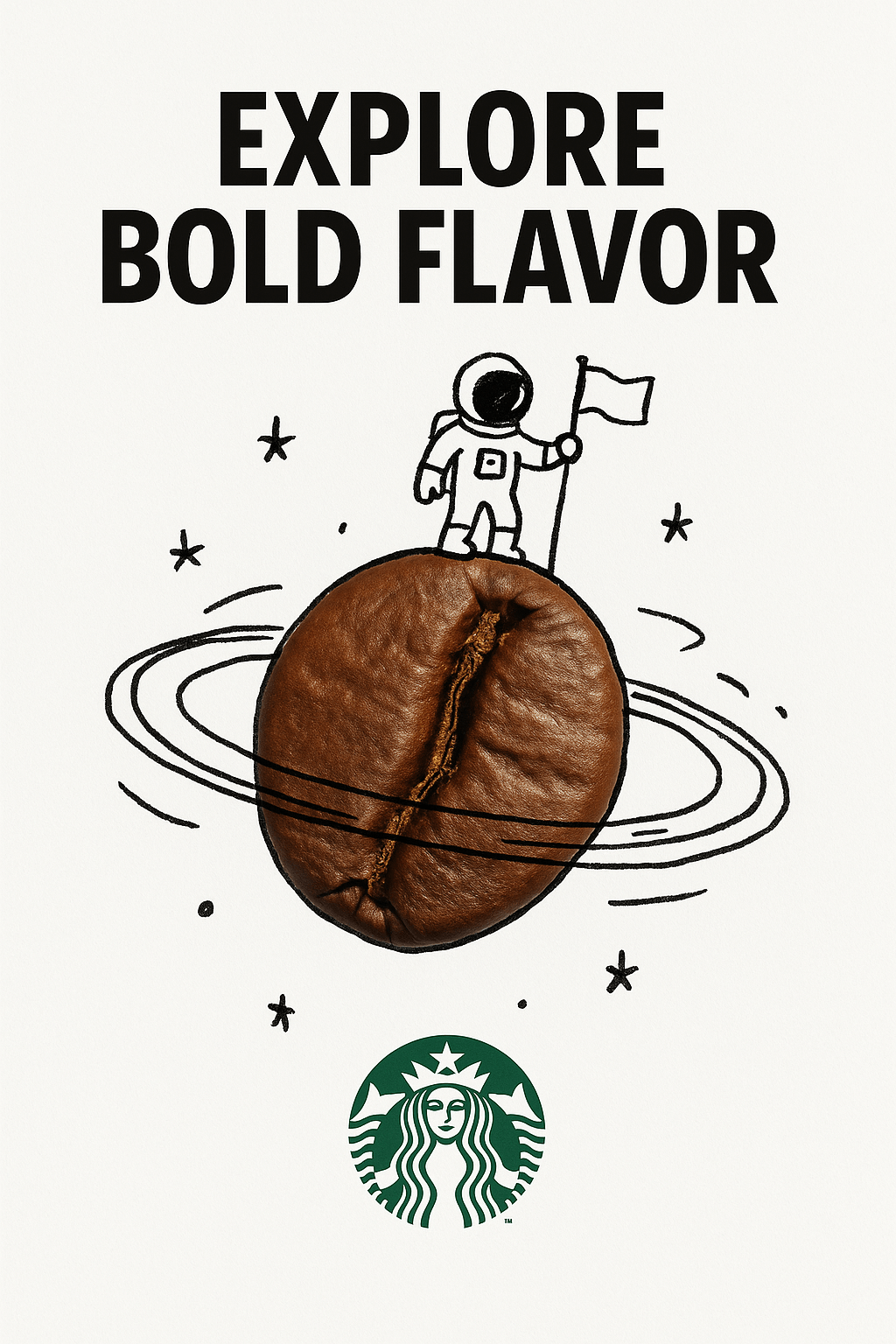
These cases focus on ad design, such as combining real objects with hand‑drawn graffiti (Case 100). Prompt template: "A minimalist and creative advertisement set on a pure white background. A real [real object] combined with hand‑drawn black ink graffiti..." Operational steps:
- Choose a tool: open ChatGPT on the web or app and use the GPT‑4o model (requires a Plus subscription).
- Prepare the prompt: replace bracketed text, e.g., [real object] with "coffee beans" and [ad copy] with "Explore Bold Flavor."
- Generate the image: submit the prompt and click generate. For edits, add "change the background to blue."
- Iterate: if the output is unsatisfactory, add details like "high contrast" and regenerate (ChatGPT supports multiple attempts). For Case 90’s branded keyboard keycaps, replace text and color in the JSON‑like prompt and use Sora to generate a 3D render.
Category 2: Style Transfer and Remodelling (Cases 93, 81, 78)
These focus on material transformation, such as remaking an object with glass material (Case 93). Prompts use a JSON structure: {"style": "photorealistic 3D render", "material": "glass", ...}. Operational steps:
- Upload references: if a prompt requires an image (as in Case 93), upload the image file in ChatGPT.
- Input the JSON prompt: paste the full JSON into the tool and ensure parameters like "reflections": true are set.
- Generate and adjust: the tool will remodel the material based on the reference. When using the gpt‑image‑1 API, you need an API key (register on OpenAI Developer). Example: use Python requests to POST with a body containing prompt and image_url.
- Validate: download the image and check reflections and refractions. If off, add "enhance iridescent effects." Case 81 demonstrates a translucent glass remake: upload a real object image and generate a floating effect.
Category 3: Chibi and Anime Styles (Cases 97, 96, 21)
Chibi toys and stickers are popular, such as a cute handcrafted knitted doll (Case 97). Prompt: "A close‑up... handmade crocheted yarn doll... based on [uploaded image]." Operational steps:
- Tool choice: recommend chatimg.ai, which supports custom templates. Log in and select the GPT‑4o model.
- Upload image: click upload and choose a reference photo (e.g., a selfie).
- Customize the prompt: replace bracketed items and generate a chibi version. For Case 21’s nine stickers, specify "3x3 grid, transparent background."
- Post‑process: download PNGs without text. For iterations, add "uniform white outline."
Category 4: Surreal and Scene Fusion (Cases 92, 86, 19)
Examples include 3D pop‑out perspective effects (Case 92). Prompts emphasize forced perspective. Operational steps:
- Prepare references: upload a portrait or specify a public figure such as "Anne Hathaway."
- Input to Sora: Sora is suited for dynamic scenes; submit the prompt to generate images (Sora requires OpenAI access).
- Adjust aspect ratio: specify "9:16" aspect ratio. For Case 19’s toy‑box country model, replace [country name] with "China" to generate a miniature landscape.
Contributions and Prompting Tips
The repository encourages contributions: read CONTRIBUTING.md and contribute via Issues or Pull Requests. Process: fork the repo, add a new case (format: case number, link, prompt), and submit a PR. The prompt tips section links to PDFs and articles such as "Prompt Engineering" by Google. Steps: download the PDF and learn structured prompting (e.g., add weights like 1.45). Contact the author to update the contributors list or correct attributions.
Tools and Technique Extensions
The "🛠️ Tools" section recommends ChatGPT (text‑to‑image prompts), Sora (realistic reconstruction) and the gpt‑image‑1 API (precise editing). Operational notes: API calls require a key. Example curl: "curl https://api.openai.com/v1/images/generations ‑H 'Authorization: Bearer YOUR_KEY' ‑d '{\"prompt\": \"your prompt\", \"n\":1}'". Tips: use precise descriptions and JSON structures to avoid ambiguity.
Conclusion
Awesome Nano Banana Images is a treasure trove for AI image‑generation enthusiasts. With 100 curated cases and practical prompts, it lowers the barrier to creation. The workflow is simple: pick a tool, copy prompts, upload references, generate and iterate to achieve outputs from ads to chibi styles. The project not only showcases OpenAI’s capabilities but also fosters community collaboration and can expand to include more models in the future. Users are encouraged to star the repository and try chatimg.ai starting from simple cases to explore the limitless possibilities of AI creativity.
(Note: examples in the repository are diverse and continuously updated. For best results, reuse examples in combination with model‑version details like GPT‑4o / gpt‑image‑1 and the latest capabilities of ChatGPT and Sora.)